Skip to content

Cloud cost · security · drift

AWS, Azure, Google Cloud & Kubernetes

Stop opening three consoles to answer one question.

Panoptes connects your AWS, Azure and Google Cloud accounts and shows what you are spending, what is exposed to the internet, and what drifted from Terraform — in one place, for teams too small to hire a FinOps analyst.

  • Free plan, no card
  • Starts with read-only access
  • No agents to install
Sample workspace · demo data
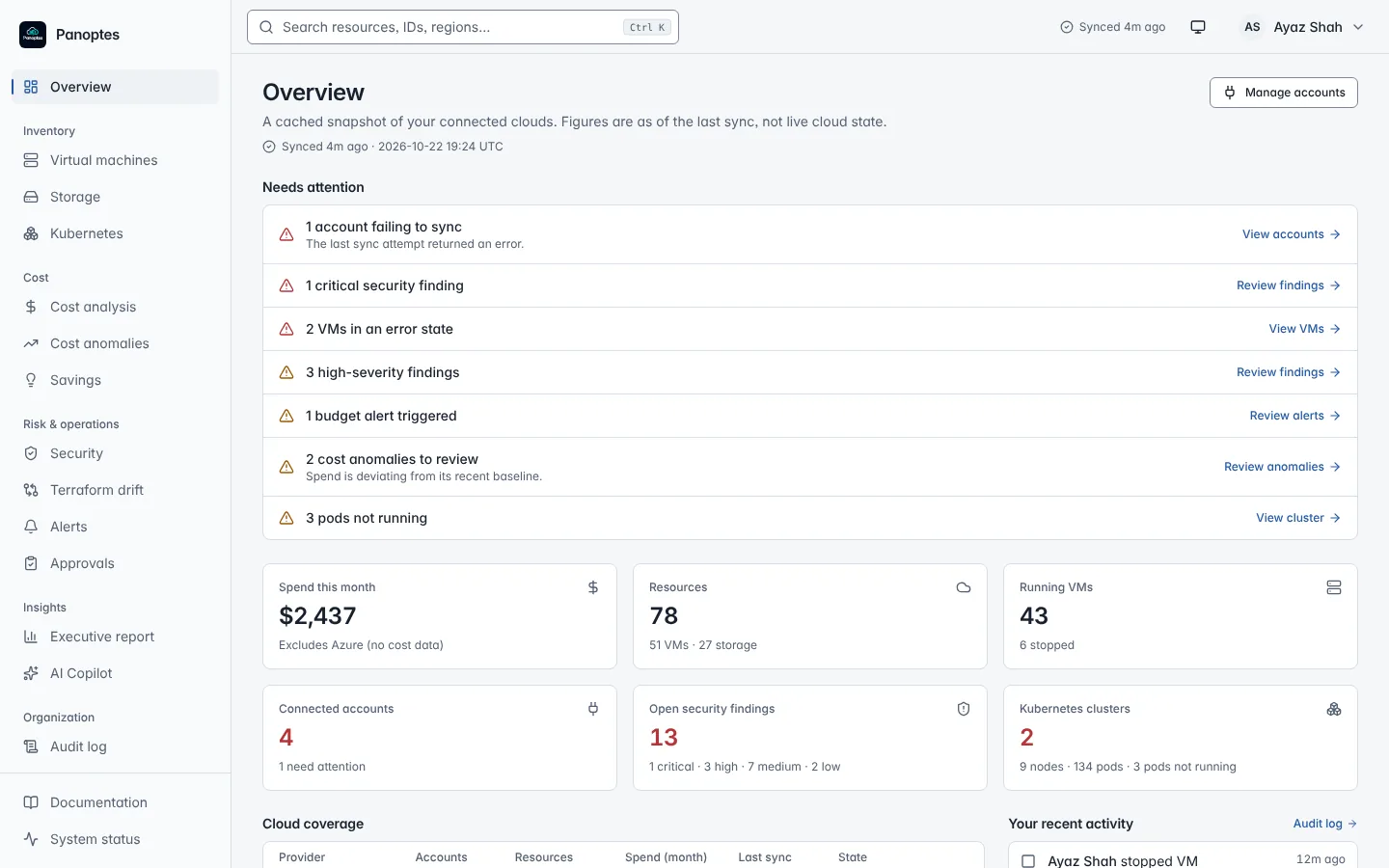
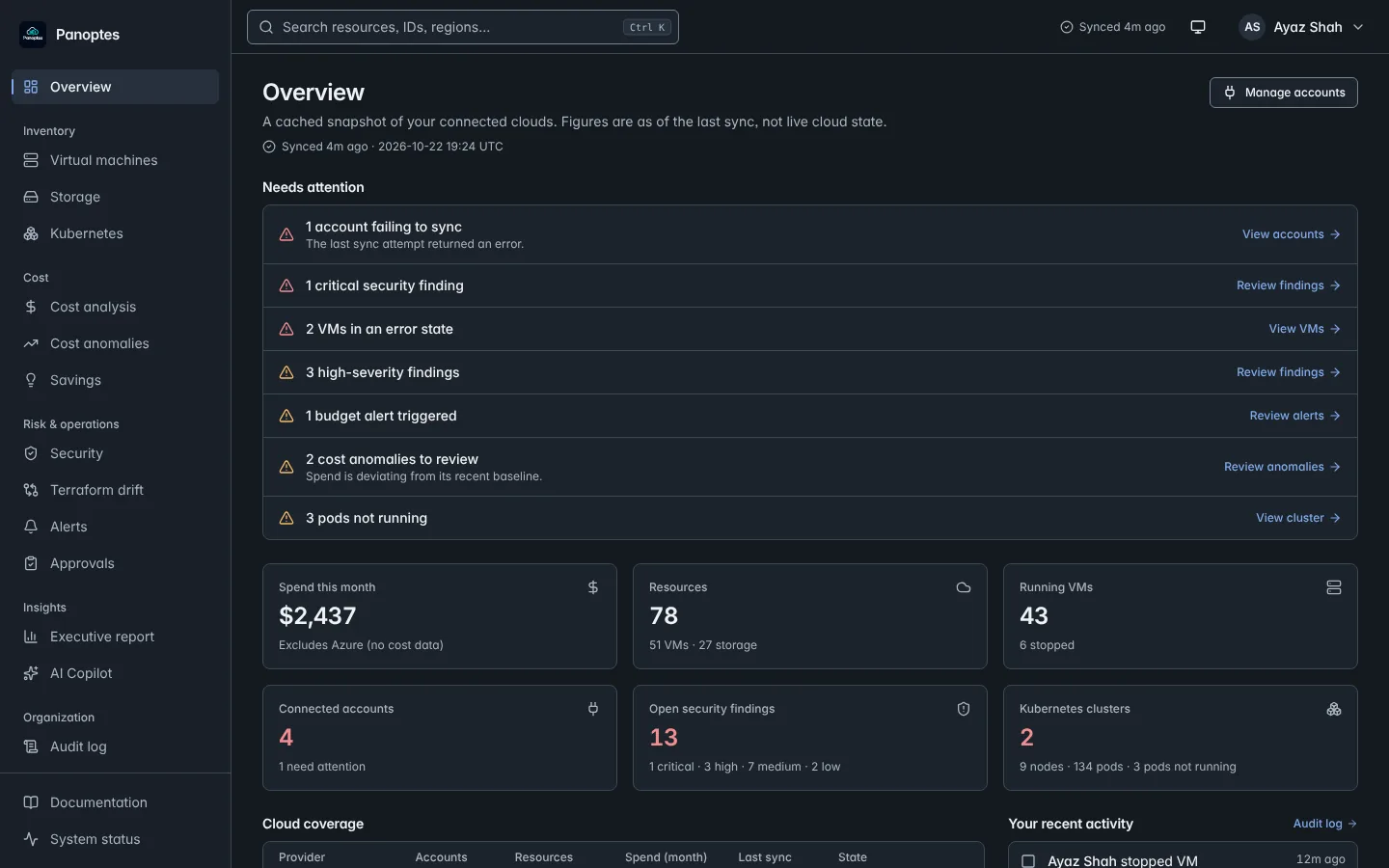
Panoptes overview: needs-attention list, spend, resources, security findings and Kubernetes summary cards

A prioritised “Needs attention” list, with every item linking to the screen that fixes it, plus when the data was last synced.

Built for

Small teams with a real cloud bill.

Startups, 5–50 engineers
Real cloud complexity, no dedicated FinOps or security hire.
DevOps & platform teams
One inventory across accounts, regions, providers and clusters.
Agencies & consultancies
Keep each client’s estate in its own tenant-isolated workspace.

The Monday-morning questions

Three questions every cloud team can’t answer fast enough.

01

Why did the bill go up?

Spend is stored by provider, service and account, so a jump is traced to where it came from — a new service, a spike, or a forgotten environment. Anomalies are flagged against a baseline, and idle or oversized resources come with a monthly price tag.

  • Cost by provider & service, with trends
  • Anomaly detection and budget alerts
  • Idle, orphaned and right-size recommendations
02

What is exposed to the internet?

Panoptes re-scans your accounts on a schedule for publicly accessible storage and security rules that leave SSH, RDP or database ports open to the world. Each finding says what is wrong and how to fix it, and re-opens itself if the problem returns.

  • Public buckets and open sensitive ports
  • Ranked critical → low, with remediation steps
  • Acknowledge, resolve, and keep an audit trail
03

What changed outside Terraform?

Upload a Terraform state file and Panoptes compares it with what is actually running: resources nobody declared, resources that vanished, and settings that were changed by hand in a console.

  • Unmanaged, missing and changed resources
  • Raw state encrypted at rest, never returned
  • Export drift findings to Excel

What’s inside

Everything you need to run a cloud without guessing.

One normalized data model underneath, so the same screen works for an EC2 instance, a Compute Engine VM and an Azure VM.

Find the waste before the invoice does.

Idle VMs, orphaned volumes, oversized instances and untagged resources — each with the monthly saving attached, plus a forecast and an Excel report for whoever signs the bill.

  • Idle
  • Orphaned
  • Right-size
  • Forecast

Close the doors you left open.

Public buckets and world-open SSH, RDP and database ports, found, ranked and tracked until resolved.

  • Critical
  • High
  • Medium
  • Low

See your clusters without kubectl.

Namespaces, deployments and pods across EKS, GKE and AKS — read pod logs right in the browser.

  • EKS
  • GKE
  • AKS
  • Self-managed

Trust your Terraform again.

Catch console edits and unmanaged resources before they become outages.

  • Unmanaged
  • Missing
  • Changed

Ask, don’t dig.

Plain-English questions answered from your own synced data, with the arithmetic shown — for example, “Which region costs the most?”

  • Synced data only
  • Shows its working

Gets the right people the news.

Budget and security alerts go where your team already works, and reports go to whoever signs the bill.

  • Slack
  • Signed webhooks
  • Email
  • Excel

How it connects

Connect in minutes. No agents, no installs.

  1. 1

    Create a read-only credential

    A dedicated IAM user, service account or app registration — scoped to look, not touch.

  2. 2

    Paste it into Panoptes

    It is tested live, then encrypted with AES-256-GCM before it is stored.

  3. 3

    Watch your estate appear

    Resources, storage, spend and findings are synced into one normalized view, and refreshed on a schedule.

Permissions Panoptes asks for
AWS
EC2ReadOnlyAccessAmazonS3ReadOnlyAccessCost Explorer (read)
Google Cloud
Compute ViewerStorage ViewerBilling Viewer
Azure
Reader on the subscription

That is the whole list to get started. Write actions like starting or stopping a VM are optional, role-gated and audit-logged — never required for visibility.

Security, in plain terms

You are handing us cloud keys. Here is exactly what happens to them.

  1. 01
    Your cloud
    Read-only role
  2. 02
    Encrypted vault
    AES-256-GCM at rest
  3. 03
    Synced snapshot
    Normalized, tenant-isolated
  4. 04
    Console & Copilot
    Never sees credentials

Two-factor authentication

TOTP 2FA for accounts, and as an extra gate on risky operations.

Role-based access

Owner, admin, member and viewer roles; viewers are read-only for everything that mutates.

Audit log

Sensitive actions are recorded — who, what and when — and exportable.

Brute-force protection

Login rate limiting and account lockout, same-origin checks on every mutating route.

Organization scope

Session and membership checks scope supported data access. Automated tests do not replace full tenant-boundary and provider acceptance checks.

Signed webhooks

Outbound webhooks carry an HMAC signature so receivers can verify them.

What we do not claim

Panoptes is in beta. It is not a compliance certification, a full CSPM or a SIEM, and we have not published third-party audit reports yet. Its security checks cover selected storage and network exposures — useful, but not every risk in your cloud.

Pricing

Free shows you what you have. Pro tells you what to fix.

Free

$0forever

See everything you run, across clouds, in one inventory.

  • 1 cloud account
  • Up to 100 resources
  • Unified inventory
  • 7 days audit log

Pro

Most teams pick this
$29per month

Find what to fix: waste, exposure and drift — with AI to ask about it.

  • Unlimited accounts & resources
  • Cost analytics, anomalies & savings
  • Security scans · Terraform drift · Kubernetes
  • AI Copilot, approval workflows
  • Slack & webhook alerts, Excel reports
  • Up to 25 team members · 90 days audit log
Start 14-day Pro trial

No credit card. Moves to Free if you don’t subscribe.

Enterprise

Let’s talk

For larger orgs with identity, retention and support requirements.

  • Everything in Pro
  • Unlimited members, 365 days audit log
  • Custom roles (in development)
  • SSO / SAML (in development)

What each plan unlocks

Plan comparison
FeatureFreeProEnterprise
Multi-cloud inventory (AWS · Azure · GCP)IncludedIncludedIncluded
Cloud accounts1UnlimitedUnlimited
Resources tracked100UnlimitedUnlimited
Cost analytics & anomaly detectionNot includedIncludedIncluded
Savings recommendationsNot includedIncludedIncluded
Security scanningNot includedIncludedIncluded
Terraform drift detectionNot includedIncludedIncluded
Kubernetes visibilityNot includedIncludedIncluded
AI CopilotNot includedIncludedIncluded
Slack alertsNot includedIncludedIncluded
Webhook alertsNot includedIncludedIncluded
Executive report & Excel exportNot includedIncludedIncluded
Approval workflowsNot includedIncludedIncluded
Team members125Unlimited
Audit log retention7 days90 days365 days
SSO / SAMLNot includedNot includedIn development

Billing is handled in the console. Prices in USD. Limits shown here come from the same plan configuration the console enforces.

Before you sign up

The questions security teams ask first.

Something missing? Email panoptes.cloud@gmail.com — a person answers.

What access does Panoptes need to my cloud?

Use a dedicated credential with scoped reads for the supported compute, storage and security checks. Validate billing separately: GCP actual costs require a configured BigQuery billing export with dataset read and query-job permissions; Azure billing coverage depends on scope. The connection test does not prove every service permission. Follow the provider steps in our docs.

Can Panoptes change or delete my infrastructure?

Provider writes need additional permissions. VM controls, saved auto-stop schedules and supported remediation or Kubernetes actions can change infrastructure when those permissions are granted. Role and optional TOTP checks vary by route; not every direct action requires approval. Validate the workflow in a sandbox first.

Where are my credentials stored?

Cloud credentials are encrypted at rest with AES-256-GCM before they touch the database, and are excluded from every API response and from the data sent to the AI Copilot.

What does the AI Copilot actually see?

Your question and selected stored workspace context are sent to Groq. The context builder excludes credential fields and raw provider payloads, but includes labels and selected resource identifiers. Do not put secrets in questions or labels. Answers depend on source coverage and can be incomplete or wrong.

Which Terraform setups work for drift detection?

Upload local Terraform v4 JSON per cloud account and manually compare selected fields with a stored inventory snapshot. Remote backends and auto-reconciliation are not implemented. Compatible OpenTofu JSON may parse, but full compatibility is unverified. Confirm missing/changed results against the provider, especially for unsupported resource types.

The site says Beta. What does that mean?

Panoptes is being validated with early teams. Coverage is deliberately focused — VMs, storage, spend, selected network and bucket exposures, Terraform drift, Kubernetes — and some workflows still have known limits. We would rather tell you that now than after you sign up.

Can I run it inside my own VPC?

Deployment files and operator guidance exist. Contact us to scope a self-hosted evaluation; complete packaging, restore acceptance and any support or SLA terms need separate confirmation. Enterprise SAML/SCIM and custom roles remain in development.

See your whole cloud today, not after the next invoice.

Connect one account with scoped credentials, run a sync and verify a known resource. Setup time depends on your provider and permissions. The initial trial does not require a payment card.